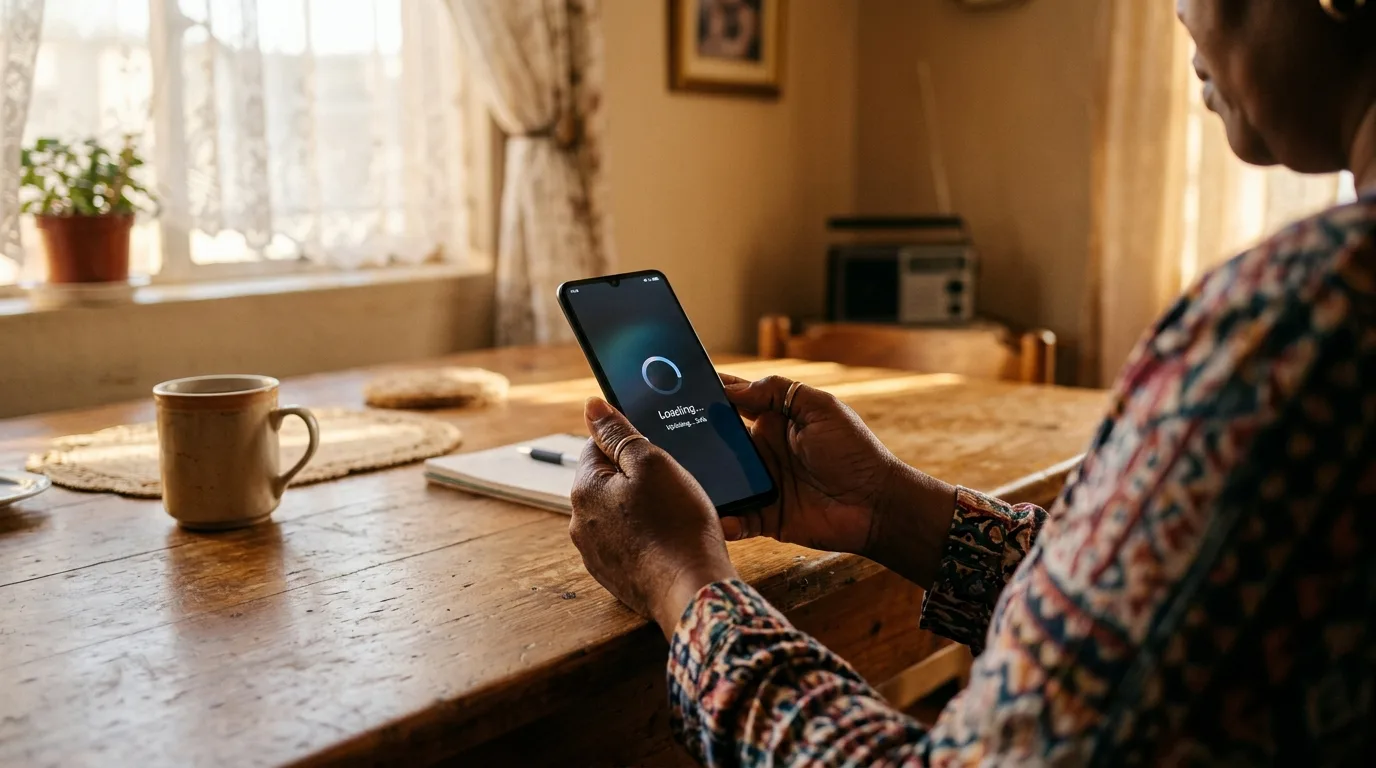
Few things are more frustrating than checking your SRD application status week after week only to see the same word: "Pending." You applied months ago, you meet the criteria, and yet there is no movement. You are not alone. In any given month, more than two million SRD applicants find themselves stuck in the same limbo, waiting for SASSA's automated verification system to process their application.
The good news is that "Pending" is not a rejection. It simply means your application is still in the queue, working its way through a series of automated checks. The bad news is that those checks can take anywhere from a few days to several months, depending on what is flagged. This guide breaks down exactly what is happening behind the scenes, why your application may be stuck, and the concrete steps you can take to resolve it in 2026.
What "Pending" Actually Means
When you apply for the SRD R370 grant, your application enters SASSA's SOCPEN (Social Pensions) processing system. From there, it goes through a series of automated verification checks that cross-reference your information against databases held by SARS, the Department of Home Affairs, UIF, NSFAS, and other government entities. The status displayed on the SRD portal reflects where your application sits in this pipeline.
A "Pending" status means the system has received your application and queued it for verification, but one or more checks have not yet returned a result. This could be because the system is still waiting for a response from an external database, because a flag was raised that requires additional processing, or simply because the queue is long and your application has not reached the front yet. It is critical to understand that Pending is a neutral status. It carries no negative weight and does not indicate a problem with your application.
To give you a clearer picture of how each status maps to your application's progress, here is a breakdown of every status you may encounter on the SRD portal:
| Status | What It Means | Action Required |
|---|---|---|
| Pending | Application received; automated checks are still running | Wait - do not reapply |
| Approved | All checks passed; you qualify for the grant this month | Ensure banking details are correct |
| Paid | Payment has been processed and sent to your account | Check your bank account within 3 business days |
| Declined | You did not meet one or more criteria this month | Review the reason and submit an appeal |
| Cancelled | Application was withdrawn or flagged as fraudulent | Visit your local SASSA office with your ID |
| Referred | Application has been sent for manual review by SASSA staff | Wait for outcome; visit SASSA if no update in 30 days |
Status Changes Monthly
Your SRD status is reassessed every month. Even if you were "Approved" last month, your status resets and goes through the verification pipeline again for the current month. A "Pending" status in May does not erase an "Approved" status from April - they are independent monthly assessments.
Five Reasons Your Status Is Stuck on Pending
While the SOCPEN system processes millions of applications each month, certain issues cause specific applications to stall in the queue. Based on publicly available data from SASSA's quarterly reports and feedback from applicants across all nine provinces, the following five reasons account for the vast majority of stuck applications.
1. SARS income data mismatch. This is by far the most common reason, responsible for roughly 40% of prolonged Pending statuses. The SRD grant has a means test threshold of R624 per month (as of 2026). SASSA cross-checks your declared income against SARS records, employer-reported earnings, and UIF contributions. If there is any discrepancy - even from a part-time job that ended months ago, or a once-off freelance payment - the system flags your application for additional review. These SARS data checks can take 30–60 days to resolve because they depend on SARS updating their records, which happens on a different cycle.
2. Bank account verification failure. SASSA verifies that the bank account linked to your application belongs to you and is active. If you provided incorrect account details, if your account was dormant, or if the account holder name does not match your ID exactly (including spelling differences), the verification fails silently. Your application stays Pending while the system retries the check periodically. This is especially common among applicants who used a friend or family member's account, which SASSA does not allow.
3. Duplicate application detected. If the system finds more than one active application linked to your ID number, it flags both for manual review. This often happens when applicants reapply because they think their first application did not go through, or when someone applies both online and via USSD. The duplicate detection process can hold your application in Pending for weeks while SASSA determines which application to process.
4. ID document flagged for manual review. The Department of Home Affairs database is cross-referenced to confirm your identity, citizenship status, and age. If your ID number returns an error, if your ID was recently issued or replaced, or if there is a mismatch between your ID details and the information on file, the system escalates to a manual check. These manual reviews are handled by a smaller team and can take significantly longer than automated checks.
5. System processing backlog. At certain times of the year, the sheer volume of applications overwhelms the processing capacity. January is the worst month because millions of lapsed applications are resubmitted after the December break. April is another bottleneck because the new financial year triggers a wave of fresh applications. During these peak periods, even applications with no issues can sit in Pending for 60–90 days simply because the queue is too long.
How Long Should You Wait?
The answer depends on why your application is Pending. For straightforward applications with no flags, the normal processing time is 5–10 business days. If your application was submitted in the first week of the month and all your details are correct, you should see a status change within two weeks. This is the best-case scenario and applies to roughly 60% of applications.
For applications that trigger one of the verification flags described above, processing extends to 30–60 days. SARS data mismatches are the most common culprit in this category. The delay is largely outside SASSA's control because they are waiting for updated records from SARS or other government departments. During this period, your status will remain Pending with no intermediate updates.
During backlog periods - primarily January, April, and to a lesser extent October - processing times can stretch to 90 days or longer. If you applied during one of these peak windows, a prolonged Pending status is unfortunately normal. SASSA has acknowledged these delays publicly and has stated that they are working to increase processing capacity, but the system remains under strain due to the volume of applications relative to available resources.
Do Not Reapply While Your Status Is Pending
This is the single most important rule. If you submit a new application while your existing one is still Pending, the system detects a duplicate and flags both applications for manual review. This effectively resets your position in the queue and can add weeks or even months to the wait. Check your status regularly, but do not resubmit unless your application has been formally Declined or Cancelled.
Step-by-Step: What to Do Right Now
If your SRD status has been showing Pending and you want to resolve it as quickly as possible, follow these four steps in order. Each step addresses a different potential cause, starting with the simplest checks and progressing to more involved actions.
Step 1: Check your current status. Before taking any action, confirm exactly what your status says today. Use the grantZA Status Check tool to see your real-time application status. You can also check via the official SRD portal at srd.sassa.gov.za or by dialling *134*7737# on your phone. Note the exact wording of your status and the date it was last updated. If it says "Pending" with a recent date, the system is actively processing. If the date is weeks old, the application may be stuck on a specific check.
Step 2: Verify your banking details match your ID. Log in to the SRD portal and confirm that the bank account number, account type, and branch code are correct. Most importantly, check that the name on your bank account matches your ID document exactly. Even small differences - a missing middle name, an initial versus a full first name - can cause the bank verification to fail. If you need to update your banking details, do so through the official SRD portal only.
Step 3: Check your UIF and SARS status for conflicts. If you have recently worked, even informally, your employer may have reported income to SARS or registered you for UIF. This can flag your application as exceeding the means test threshold. You can check your SARS status by registering on eFiling (www.sarsefiling.co.za) or visiting your nearest SARS branch. For UIF, check at www.ufiling.co.za. If you find outdated records showing income you no longer earn, you may need to submit a declaration to SARS to have those records corrected.
Step 4: If 90+ days, visit your SASSA office for a manual review. If your application has been Pending for more than 90 days and you have confirmed that your banking details and income records are correct, it is time to escalate in person. Visit your nearest SASSA office with your original South African ID document (not a copy) and your cellphone (the one linked to your application). Ask specifically for a "manual review of SRD application status." The staff can look up your application in the system, identify which check is causing the delay, and in some cases override the automated queue to push your application through.
Check Your SRD Status Now
Use our free Status Check tool to see your current application status, find out if your payment has been processed, and get personalised next steps based on your result.
Common Mistakes That Reset Your Application
Beyond the technical reasons for a stuck application, there are several actions that applicants take - often with good intentions - that actually make the problem worse. These mistakes can reset your application, push you to the back of the queue, or trigger additional flags that extend the waiting period even further.
Reapplying while Pending. As noted above, this is the number one mistake. Many applicants assume their application was lost or did not go through, so they submit a new one. The system immediately detects the duplicate and flags both applications. Instead of speeding things up, you end up waiting longer. Always check your existing status before considering a new application.
Changing banking details mid-review. If you update your bank account while your application is being processed, the system restarts the bank verification check from scratch. This adds another 10–15 business days to your processing time. Only change your banking details if they are genuinely incorrect. If you are simply switching banks for convenience, wait until your current application cycle is complete.
Using a different phone number. Your cellphone number is tied to your application for verification and communication purposes. If you change your number or use a different SIM card to check your status via USSD, the system may flag your application for identity verification. Stick with the phone number you used when you originally applied. If you have lost access to that number, visit a SASSA office to update it officially rather than trying to work around it.
Warning: Reapplying Resets Your Queue Position
If your status is Pending, submitting a new application does not replace the old one. It creates a duplicate flag that sends both applications to the manual review queue. This can add 30–60 days to your wait. Never reapply while Pending. Check your status instead using the grantZA Status Check tool.
When to Escalate
If you have followed the steps above, waited the appropriate amount of time, and your status is still stuck on Pending, it is time to escalate beyond the standard channels. SASSA provides several avenues for escalation, and there are also independent organisations that can advocate on your behalf if SASSA is unresponsive.
Start with the SASSA toll-free line at 0800 60 10 11. This line is available Monday to Friday from 08:00 to 16:00. When you call, have your ID number and application reference ready. Ask the agent to check your application in the SOCPEN system and identify which verification check is causing the delay. In many cases, the agent can flag your application for priority processing, especially if it has been Pending for more than 90 days.
If the toll-free line is congested or you cannot get through, visit your nearest SASSA regional office in person. Bring your original ID document, proof of residence, and your cellphone. Regional offices have direct access to the processing system and can escalate cases that have been stuck for extended periods. They can also correct data errors on the spot, which is faster than waiting for automated systems to resolve the issue.
For cases where SASSA itself has been unhelpful or unresponsive, two external organisations can assist. The Black Sash is a human rights organisation that operates a free helpline specifically for social grant issues. They can intervene on your behalf and have established channels to escalate cases with SASSA management. If all else fails, you can lodge a formal complaint with the Office of the Ombudsman, which has the authority to investigate and compel SASSA to act.
Escalation Contact Details
- SASSA Toll-Free: 0800 60 10 11 (Mon–Fri, 08:00–16:00)
- SASSA Head Office: 012 400 2322
- Black Sash Helpline: 072 663 3739
- SASSA Website: www.sassa.gov.za
- Ombudsman Complaints: www.thepresidency.gov.za