If you have tried to check your SRD status on srd.sassa.gov.za during the first week of the month or on the day results are released, there is a good chance you were blocked by this message:
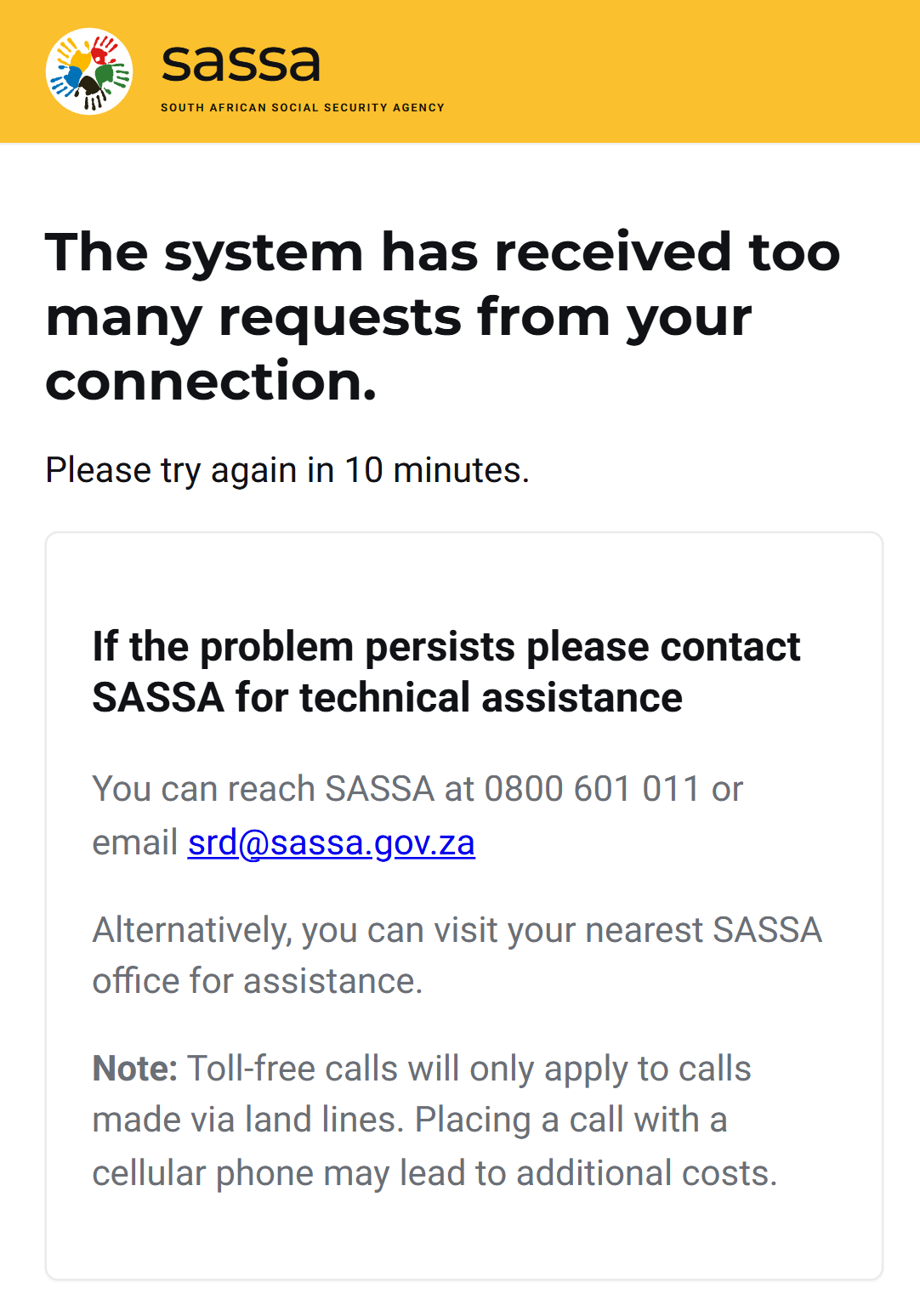
It is one of the most-reported complaints from SRD applicants in 2026, and the confusing part is that it is not really a SASSA-side crash. It is a protective rate-limit that kicks in when too many requests hit the portal from the same network at the same time. Below is what is actually happening, how to clear the block, and four reliable ways to check your SRD status that do not go through the SASSA website at all.
Why You See "Too Many Requests"
The SRD portal runs behind a standard web application firewall. When it sees an unusual spike of requests from a single IP address, it temporarily throttles that IP to protect the back-end database from going down completely. SASSA prefers a brief block on individual connections over a full system outage that would affect all 8.5 million recipients.
There are three very common reasons you specifically get flagged:
1. You are sharing an IP with thousands of other people. If you are on mobile data, most South African networks (Vodacom, MTN, Cell C, Telkom) route huge pools of users through a small number of public IPs using carrier-grade NAT. When one of those shared IPs hits the rate-limit, everyone on that IP sees the error, even if you personally only refreshed once.
2. You refreshed too quickly. The portal allows roughly 10–15 status lookups per IP per minute. Hitting "Check Status" repeatedly, or having the page auto-refresh, burns through that budget in seconds.
3. Someone else on your Wi-Fi is also checking. Home Wi-Fi, hotspots, libraries, internet cafes, and workplaces all share a single public IP. If three people in the same house are checking SRD at the same time, the network can trip the limit together.
This is a per-IP block, not a per-account block
Your SRD application is fine. The portal is not declining you, suspending you, or flagging your ID. The block lifts automatically after 10 minutes, and your status does not change while you wait.
When the Portal Gets Overloaded
The rate-limit only fires during predictable high-traffic windows. If you check outside those windows, you almost never see the error. Here is when it spikes:
| Busy Window | Why Traffic Spikes | Severity |
|---|---|---|
| 1st–7th of the month | Applicants checking if the new month has been approved | Very high |
| 25th–30th (SRD payment dates) | Applicants confirming "Pay Date" before collection | Very high |
| Day after monthly results drop | Word spreads on WhatsApp that statuses are updated | Extreme |
| 08:00–11:00 weekdays | General morning peak across all government services | Moderate |
| After a SASSA press release | News of an increase or policy change drives mass checking | High |
Quick Fixes Before You Give Up
If you want to stay on the official SASSA portal, try these in order. Most people get through within a few minutes:
1. Wait the full 10 minutes. The block is time-based. Refreshing during the countdown extends it. Close the tab and come back.
2. Switch from Wi-Fi to mobile data (or vice versa). This gives you a different public IP and usually bypasses the block immediately.
3. Turn aeroplane mode on and off on your phone. Mobile networks often rotate your IP when you reconnect, which is enough to clear the rate-limit.
4. Try a different browser or private/incognito mode. This clears any retry headers that may be stuck in your session cookie.
5. Check later in the day. Portal load drops sharply after 20:00. Between 22:00 and 05:00, the error is almost impossible to trigger.
Do not use a VPN to "get around" the block
It often makes things worse. Free VPN exit nodes are shared by millions and the portal frequently rate-limits VPN IP ranges on sight. You will just swap one block for another.
4 Ways to Check Your SRD Status Without the SASSA Website
This is the part most applicants do not know: SASSA is one of several places you can verify your status. The following channels read from the same underlying grant database, so the result is identical, but they are far less likely to be overloaded on a busy day.
1. grantZA Status Check
Our free tool pulls your current SRD status (approved, pending, declined, or paid) and your pay date for the month. No login. No app to install.
2. SASSA WhatsApp
SASSA's official WhatsApp line replies in under a minute most days and is completely separate from the web portal, so it is not affected by the rate-limit.
3. GovChat
GovChat is the South African government's official citizen messaging platform and mirrors SASSA SRD data directly. It handles millions of queries a day without rate-limiting.
4. USSD (no internet needed)
The USSD channel runs over the cellular signalling network instead of the internet, so it works even when the SASSA website is down and on phones without data.
All four channels show the same data
If grantZA says "Approved" and the SASSA portal later says "Pending", it is almost always because the portal cache has not refreshed yet. The grant database is the source of truth, and all four alternatives read from it in real time.
How to Avoid the Block in Future Months
A few small habits keep you out of the rate-limit zone entirely:
1. Check once, not ten times. Your status does not change from minute to minute. One lookup per day is enough.
2. Check off-peak. Between 21:00 and 06:00 the portal is almost always responsive. Same goes for Saturday and Sunday afternoons.
3. Sign up for SMS notifications. SASSA sends an SMS to your registered number when your monthly status changes. If you have not disabled SMS, you will get a text the moment you are approved - no need to check the portal at all.
4. Bookmark grantZA or save the SASSA WhatsApp number. That way, the moment you hit the "too many requests" page, you have a working backup one tap away.
5. Do not share your ID number or PIN with anyone offering to "check for you". Scams spike every time the portal is overloaded, because frustrated users are more willing to hand over credentials. SASSA will never ask for your banking PIN, and no legitimate service needs your SASSA password.
Watch out for fake "SRD fixer" WhatsApp numbers
On busy days, fake accounts flood WhatsApp groups offering to "unblock" your status for a fee. They are phishing for ID numbers and banking details. The only official WhatsApp line is 082 046 8553. Anything else is a scam.
Check Your SRD Status Right Now - No Overload
Skip the SASSA portal entirely. Use the grantZA Status Check to see whether your April 2026 SRD is approved, pending, or paid. It works during portal overloads and takes under 30 seconds.